Google Ads for Beginners: How to Launch Your First Campaign
.

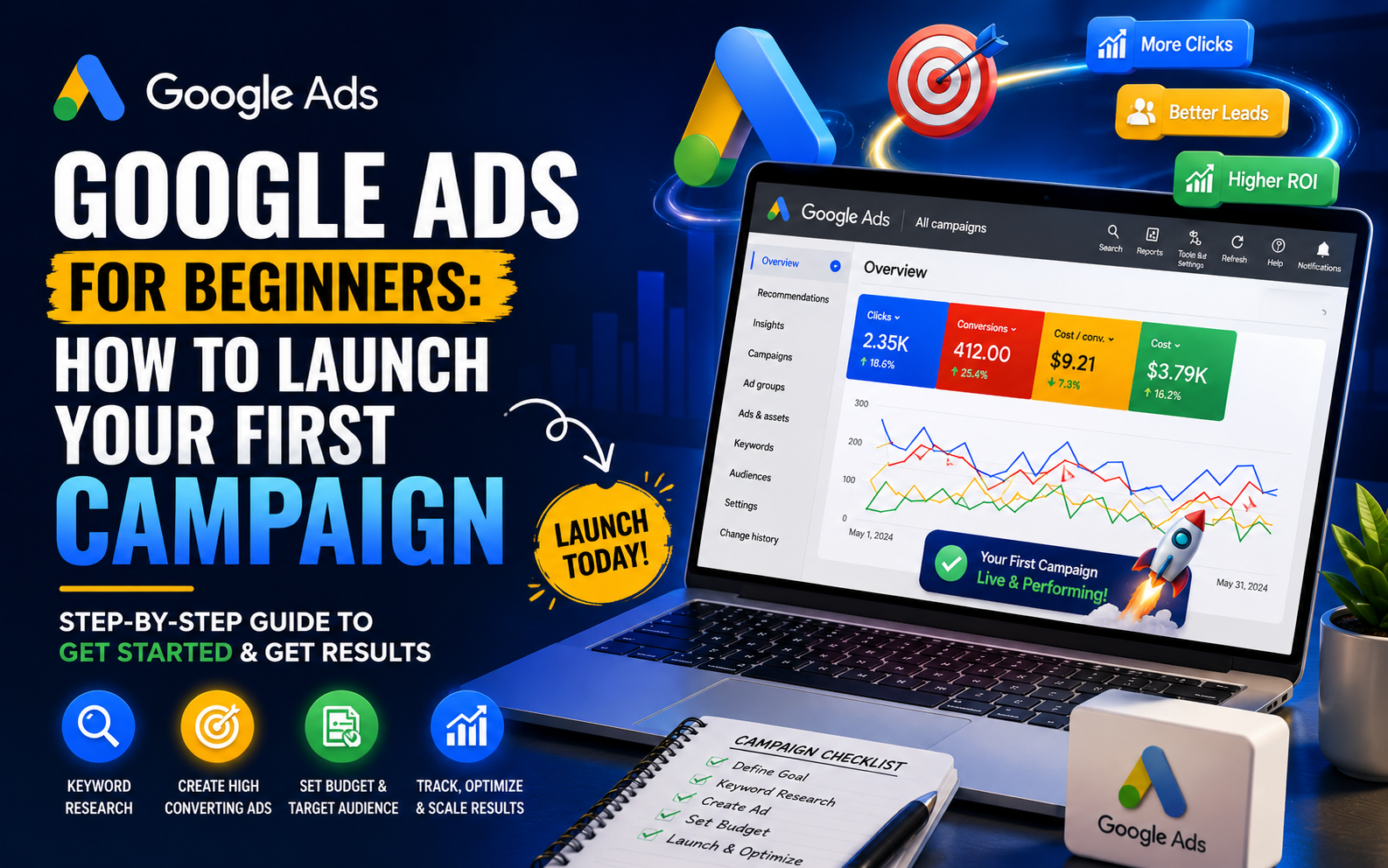
.
When students take a Google Ads Course for the time they usually have the same worry. What if they spend money and get zero results from Google Ads? This is a fair concern. I have seen people who are new to Google Ads waste money. They do this because they launch a Google Ads campaign without understanding the basics of Google Ads.
I have been managing Google Ads accounts for over a decade now. I have worked with local businesses and larger client budgets for Google Ads. So I can tell you this about Google Ads: Google Ads is not complicated once you understand how Google Ads works. Most Google Ads campaigns that fail are not failing because of luck. They are failing because of mistakes that can be avoided. These are mistakes that people who are new to Google Ads make. Let us go through how to launch your Google Ads campaign the right way.
Google Ads is Google's advertising platform that lets businesses show ads on Google Search, YouTube and other websites that're part of the Google display network. It usually costs money when someone clicks on the ad. This is most often done through a PPC Advertising model which means pay-per-click.
This is important because it puts your business in front of people who are looking for exactly what you have to offer at the exact time they are searching. Unlike types of advertising where you just hope the right people see your message Google Ads helps you reach people based on their real interests and what they are looking for. That is why Google Ads continues to be one of the powerful tools in Digital Marketing now.
Before launching anything, it's important to understand the main campaign types:
For someone launching their very first campaign, Search Ads are almost always the safest and most result-oriented place to begin, since they target people already searching with clear intent.
Here's a practical walkthrough I use with beginners in training, broken down into manageable steps.
Before you start using the platform make sure you know what you want. Leads, website traffic, calls or sales. This choice influences every setting you pick later so not doing this step is one of the most common mistakes that new people make.
This step is very important for your campaign. You need to find the keywords that people actually use when they search for something on Google. These keywords should be specific to your business, not general terms.
You want to know what your ideal customer would type into Google when they are looking for something.
For example, do not just use " Marketing Course" as your keyword. Instead use something like "Marketing Course in Uttam Nagar With Placement". This keyword is more targeted. Will attract people who are really interested in what you have to offer.
The number of people who search for this keyword may be smaller. They are the right people for your business and that is what matters.
A clean structure matters more than most beginners realize. A simple, effective setup looks like this:
Based on your overall goal (e.g., "Lead Generation")
Organized by closely related keyword themes (e.g., "SEO Course Keywords," "Digital Marketing Course Keywords")
Specific search terms within each ad group
Multiple ad variations within each group to test performance
Mixing unrelated keywords into the same ad group is one of the most common structural mistakes beginners make, and it directly hurts ad relevance and cost.
Your advertisement should say what people are searching for. You need to put your keyword in the title in a way that feels natural. Make sure you tell people what they will get out of it and always tell them what to do like "Enroll Now" or "Book a Free Demo".
I see a lot of mistakes where ads only talk about the company like "We are the institute". This is not what people want to hear. People want to know what they can get from you like "Learn digital marketing skills in 3 months" with your digital marketing skills training. Your digital marketing skills course should be the focus, not your institute.
As a beginner begin with a daily budget that feels right for you to try out. Pick a way to bid, such as "Maximize Clicks" at first. Then when you have information you can switch to more complex methods, like "Maximize Conversions."
This step is missed too often. It's a big problem. If you don't have conversion tracking working the way you will not really know which keywords or ads are bringing in real outcomes. You'll only be making assumptions based on clicks.
When the campaign is live do not just leave it alone. You should check how the campaign is doing every day for a few days. Look at things like how many people're clicking on the ads and how much it costs when someone clicks. Also look at if people're doing what you want them to do after they click. If some of the keywords or ads are not doing well you should stop them early. The campaign needs to be checked especially the click-through rates cost, per click and early conversion signals of the campaign and you should be ready to pause the underperforming keywords or ads of the campaign early.
I've seen plenty of beginners jump straight into the platform without structured guidance, and the pattern is almost always the same — quick budget loss, confusion over settings, and eventually giving up on the platform entirely, assuming "ads don't work" for their business.
Proper Google Ads Training changes this completely. It's not just about knowing where the buttons are — it's about understanding keyword strategy, audience intent, budget control, and how to read performance data correctly. This is exactly the kind of hands-on, practical approach we focus on in our Google Ads Course, so students launch real campaigns with actual budgets and results, rather than just learning theory.
1. How much money do I need to start with Google Ads?
You do not need a lot of money to start with Google Ads. It is better to start with a daily budget that you can test. This is smarter than spending a lot of money before you know what works for your Google Ads and your business.
2. Are Search Ads better than Display Ads for people who are just starting out?
Yes, Search Ads are generally better for beginners. This is because search ads target people who are actually looking for something, so you can easily see if your Google Ads are working or not.
3. How long does it take to get results from a Google Ads campaign?
Most Google Ads campaigns need some time to work properly. This is usually around one to two weeks. After this time you can see how well your Google Ads are doing and make changes to improve them.
4. Do I need to know how to code or have skills to run Google Ads?
No you do not need to know how to code to use Google Ads. What you need is to be able to think about the words you use, who you want to reach with your Google Ads and how to manage your budget.
5. Is PPC advertising only good for businesses?
No, PPC advertising is not just for businesses. Small and local businesses can also get results from PPC advertising. This is especially true if you use words that are relevant to your business rather than general words that a lot of other businesses are using.
Launching your Google Ads campaign can feel a bit scary at first but once you know how it works it becomes much easier. Having clear goals doing the right keyword research organizing your ad groups well and checking your ads regularly. Most of the mistakes that new people make aren't because they aren't good at it; they're because they miss some steps that proper training can help with quickly.
If you really want to get good at PPC Advertising and you want to run campaigns with confidence of just trying things out without a plan and spending real money taking the time to learn Google Ads properly early on will save you a lot more money and stress, than the cost of the training itself.
We are a leading AI Powered Digital Marketing & Data Science Institute in Uttam Nagar, Delhi. We provide 100% practical training in SEO, Google Ads, Social Media Marketing, Artificial Intelligence, and Automation tools to help students build high-income careers, freelancing skills, and business growth.